|
Update
Applications
Advantages:
For developer:
(Пайпы программ)
Companies:
History:
(Бонусы)
Advice:
(Барьеры и решения)
Technologies:
(Применение в науке, лаборатории, ..)
Solutions
New eComStation:
Future:
(Ссылки на другие сайты)
(Картинка дня)
OS/2 artefacts:
Gadgets:
|
|
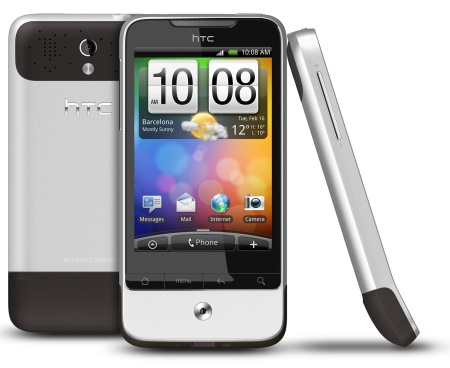
HTC Legend
Mark: Good No problem with micro-SD Card and DFSee..
Remove all LARGE FLOPPY formatting and wipe
start of disk to zero. Reboot, and create a
Primary Partition...not Logical. Format as
FAT16/32. Re-insert this SD Card into the
phone. It will read WRITE: "Checking your SD Card".
On the phone's File Manager, it will be seen that
directories relevant to the phone's operation has been created by
the phone. Connect the USB Charge Card to the phone and computer.
Set the phone to use the USB "as a Disk Drive". Accept the drive
on eCs, and you are connected.
Diese Information wurde gesendet von: Nick Lysaght -- 2011-06-10 21:07:22
****************************************
[GoogleAdv]
|
Test the program:
|
 NetDrive - attach ftp-directory to a drive letter (webDAV, .iso, NTFS volume, ..)
|
 eCo Software is working with the translators
of eComStation / IBM OS/2 Warp since the end of 90-th.
We have released russian version of
some Fixpaks for Warp 4, eComStation 1.05, .. 2.1.
LANGE library, co-operation with european translators.
|
Ideas for the developers:
|
Where can the developer discuss API and ideas? Here is the forum, and here is the irc-channel
|
|
 |
IBM OS/2 Warp
|
|